Assess the SDK. In the app you actually run.
Your SDK provider describes its technology. Your assessment needs to describe your implementation. Caijo guides your product and engineering team through the features, data flows and settings that matter, then brings the requirements, risks and follow-up actions together for review.
We’ll contact you to arrange free test access. Bring a use case relevant to your team.
“It’s just analytics.” Until Caijo asks what it sends.
An analytics review reveals a payload detail, a second destination and behaviour the developer has not yet checked. See those facts shape the requirement assessment, the risk and the engineering follow-ups.
Read the conversation
Fewer review surprises. More useful answers from engineering.
Start before the release meeting
The developer or product owner can begin while the implementation details are fresh.
Review the enabled configuration
Focus on the events and features your app uses, not every feature the supplier sells.
Make the unknowns testable
Turn an assumption into a focused check of a payload, choice state or downstream destination.
Give privacy and engineering the same next steps
Document the concern and its proposed technical follow-up together.
The provider describes the SDK. Who describes what your app does with it?
Compare this incomplete hand-off with the contextual review. The before column is not a claim about every questionnaire or competing product.
What the provider states
- “It supports analytics.”
- “Advertising is disabled.”
- “It starts at launch.”
- “The provider stores the events.”
What the review establishes
- Which features are enabled and what is the team trying to learn?
- Which fields and identifiers are still sent?
- Separate initialisation from transmission that needs testing.
- Include weekly exports into the organisation’s warehouse too.
From SDK settings. To a review your teams can act on.
Implementation and data flows
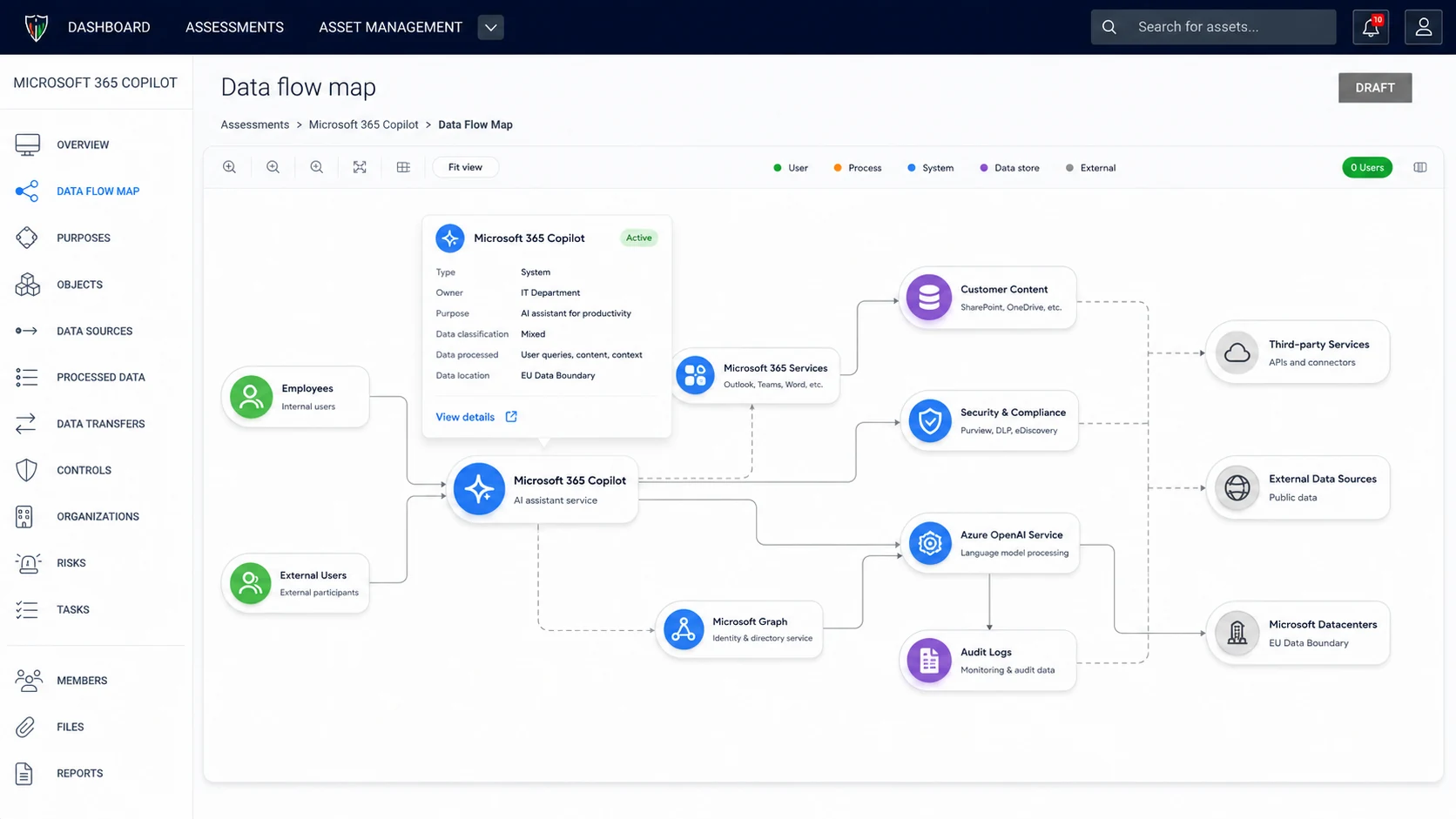
Enabled events, fields and the provider-to-warehouse flow are described.
Requirements in context
The search-text field is assessed against the screen-usage purpose.
Risks and existing safeguards
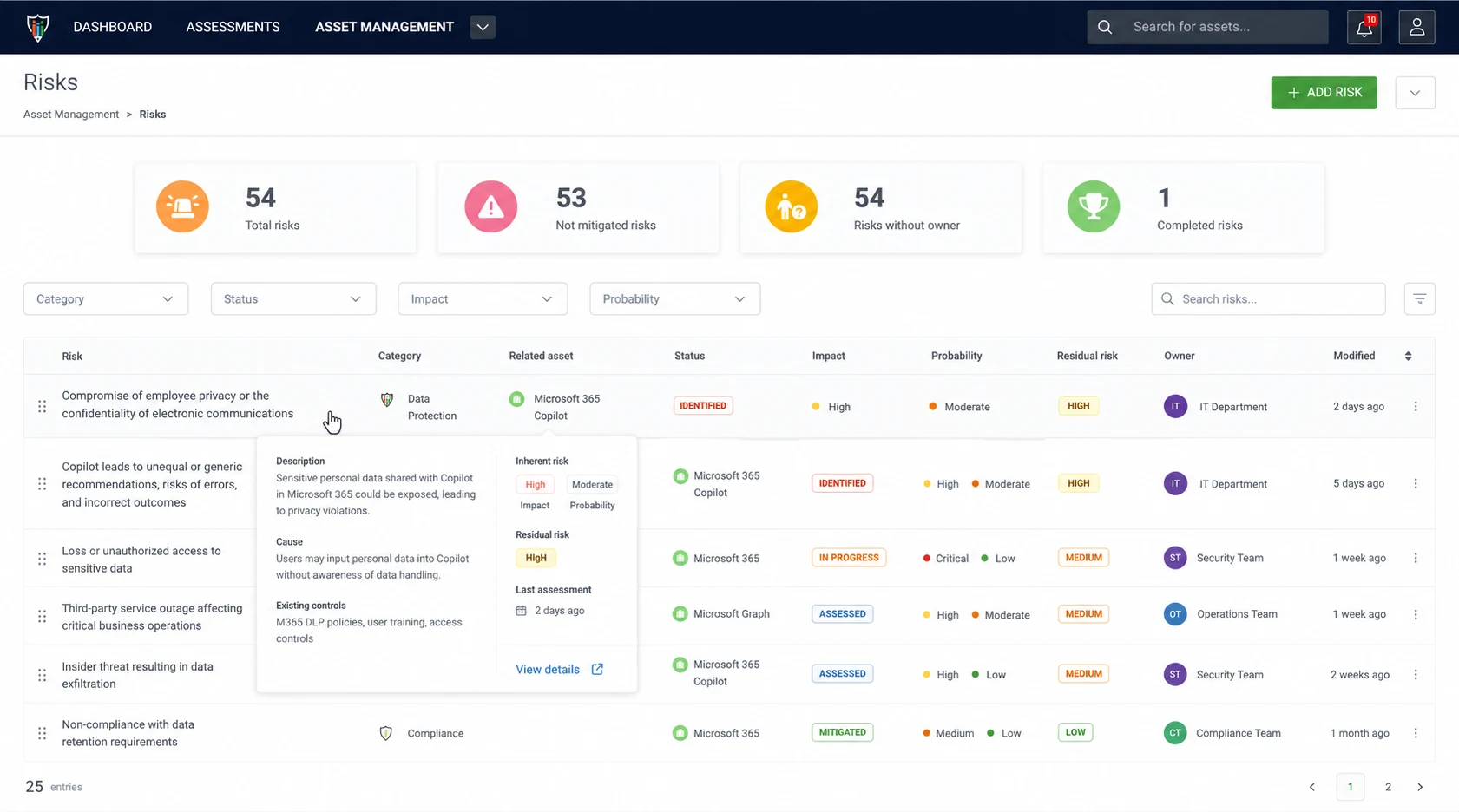
Unnecessary-text exposure is considered with reported restrictions and unresolved settings.
Recommended actions
Payload testing, choice-state checks, access and retention questions become focused follow-ups.
More than a report. Information your team can maintain.
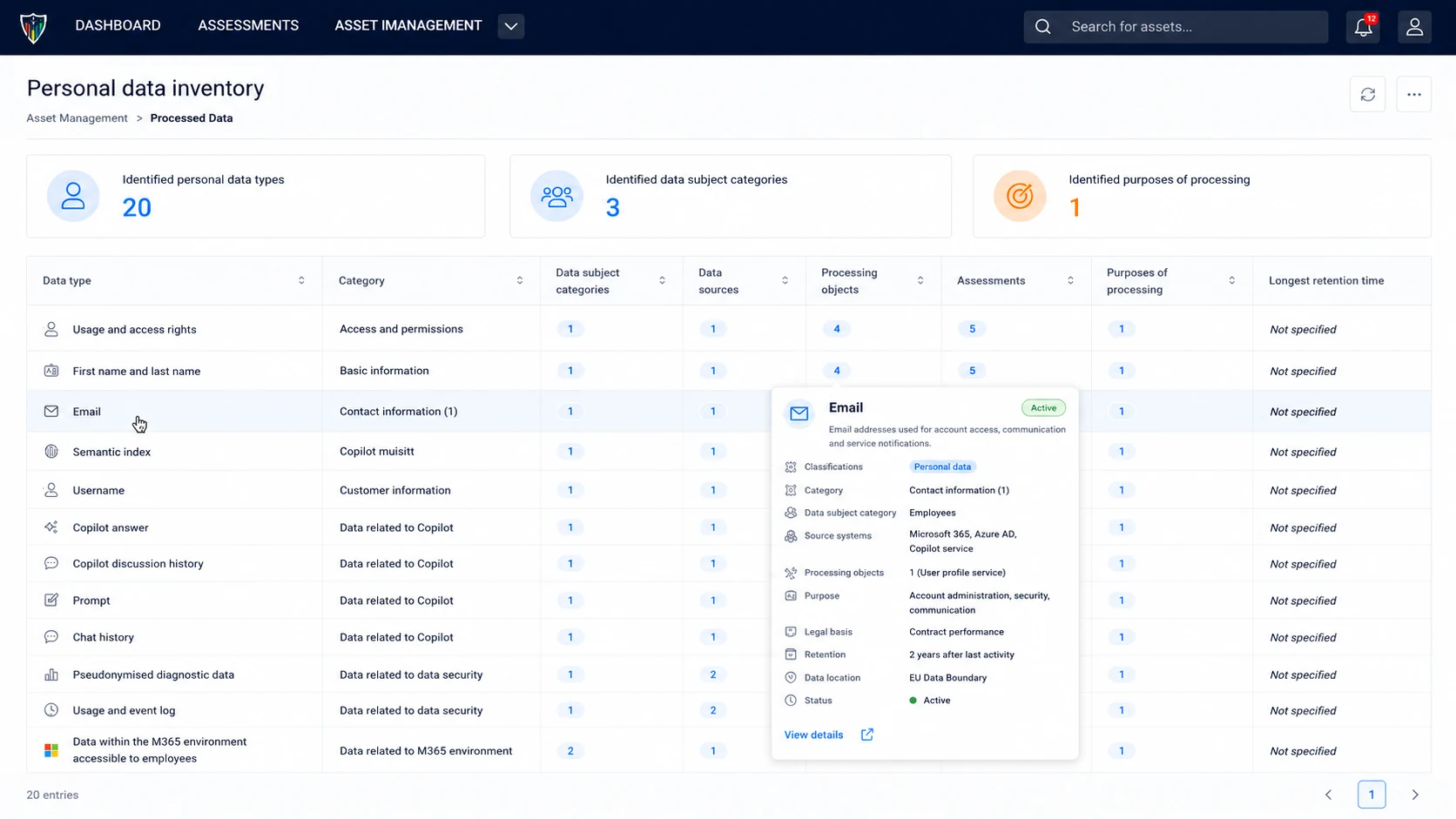
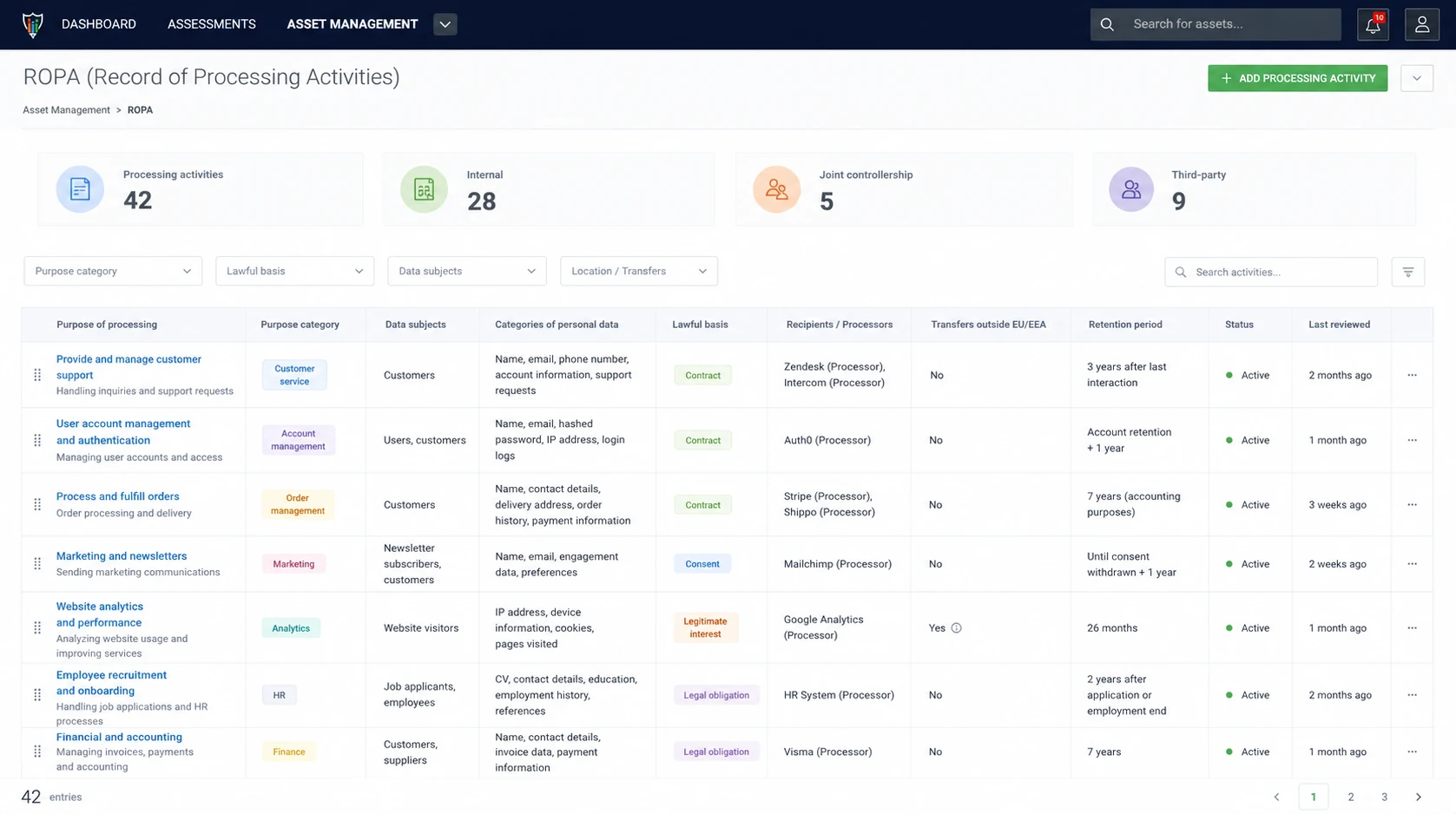
Connect the implementation description to the data types, systems, vendors, risks and tasks maintained in PrivacyDesigner. The assessment need not become another standalone document about the app. These are the modules it writes to, use the tabs or arrows to move between them.
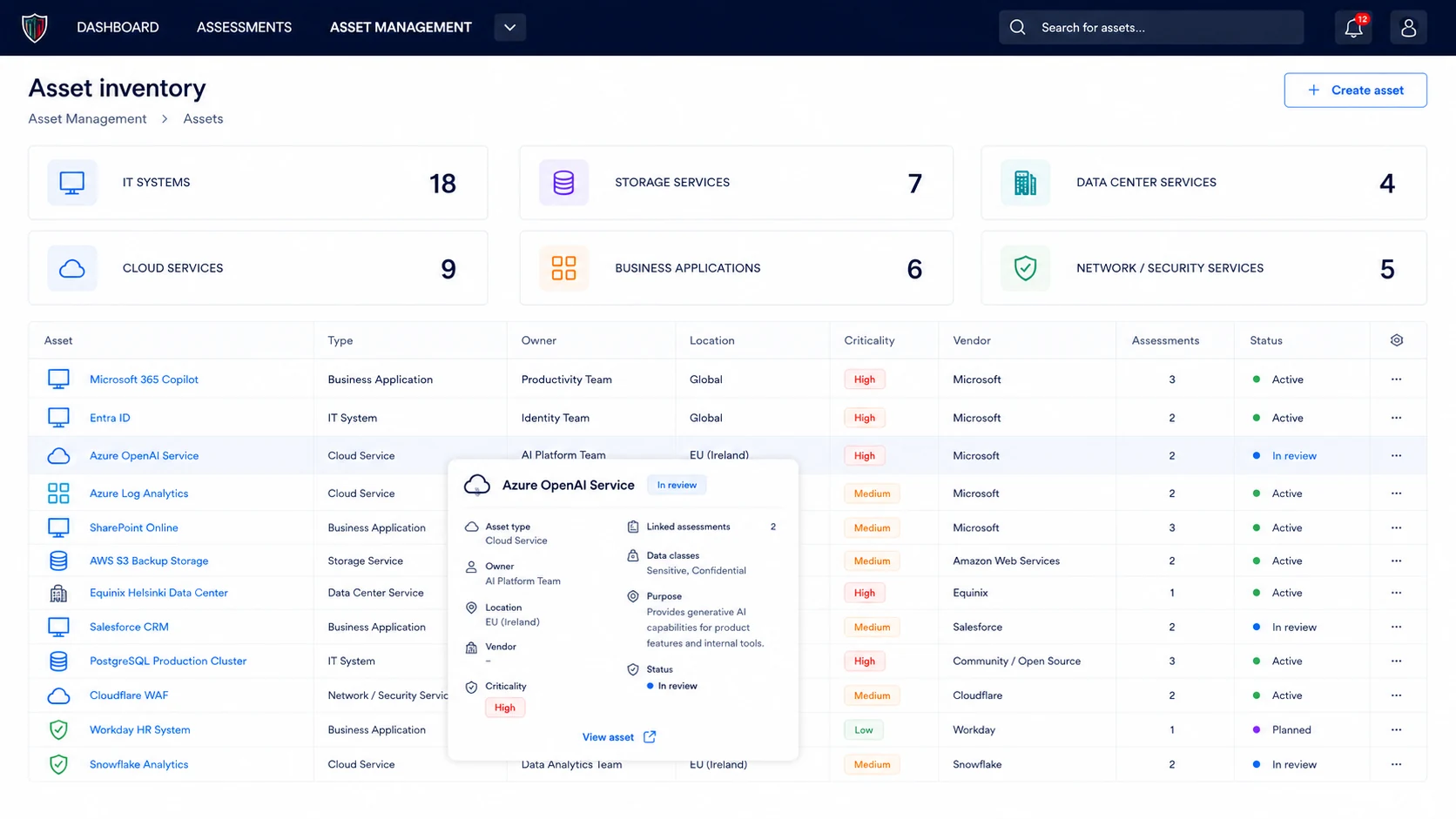
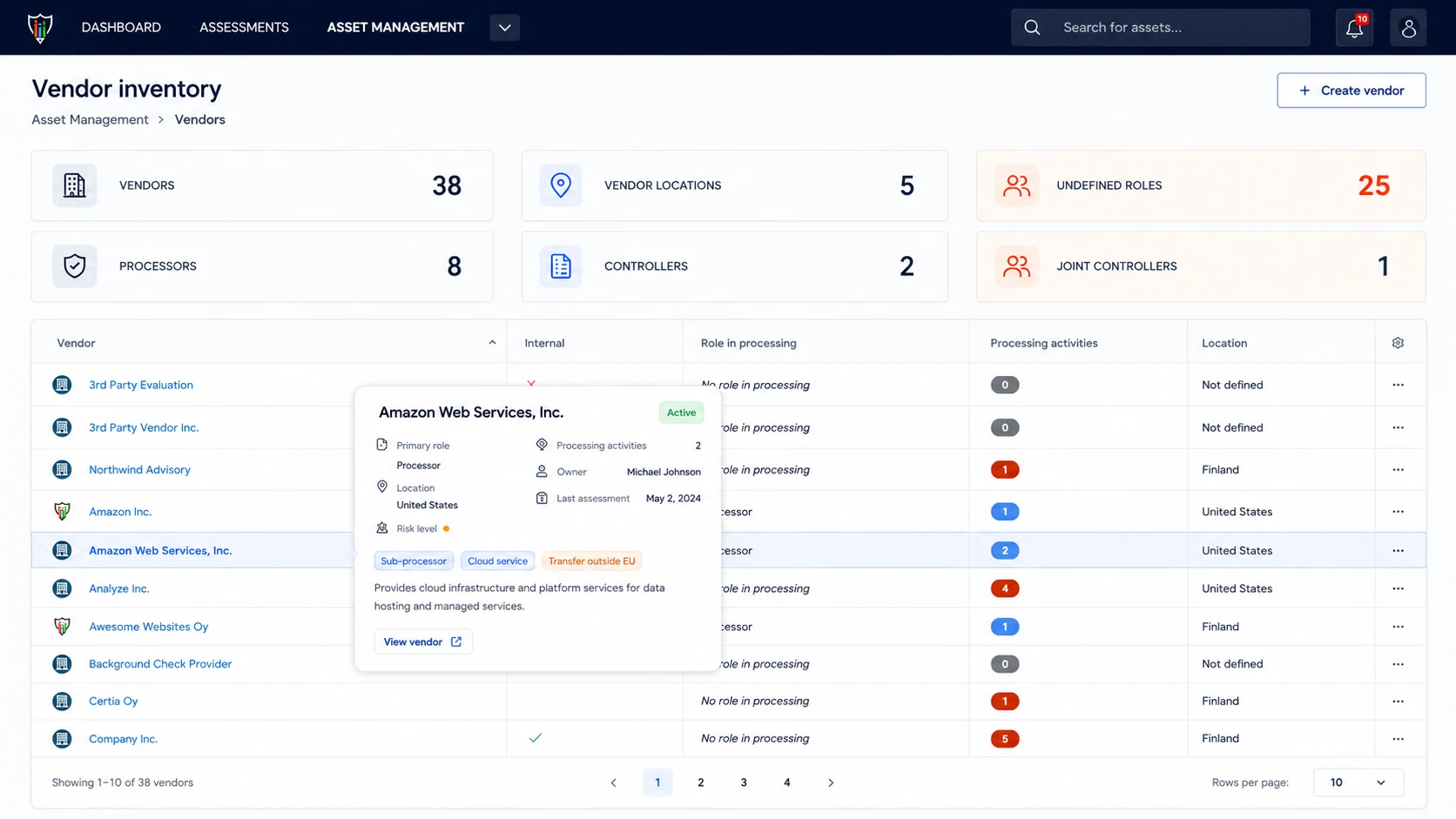
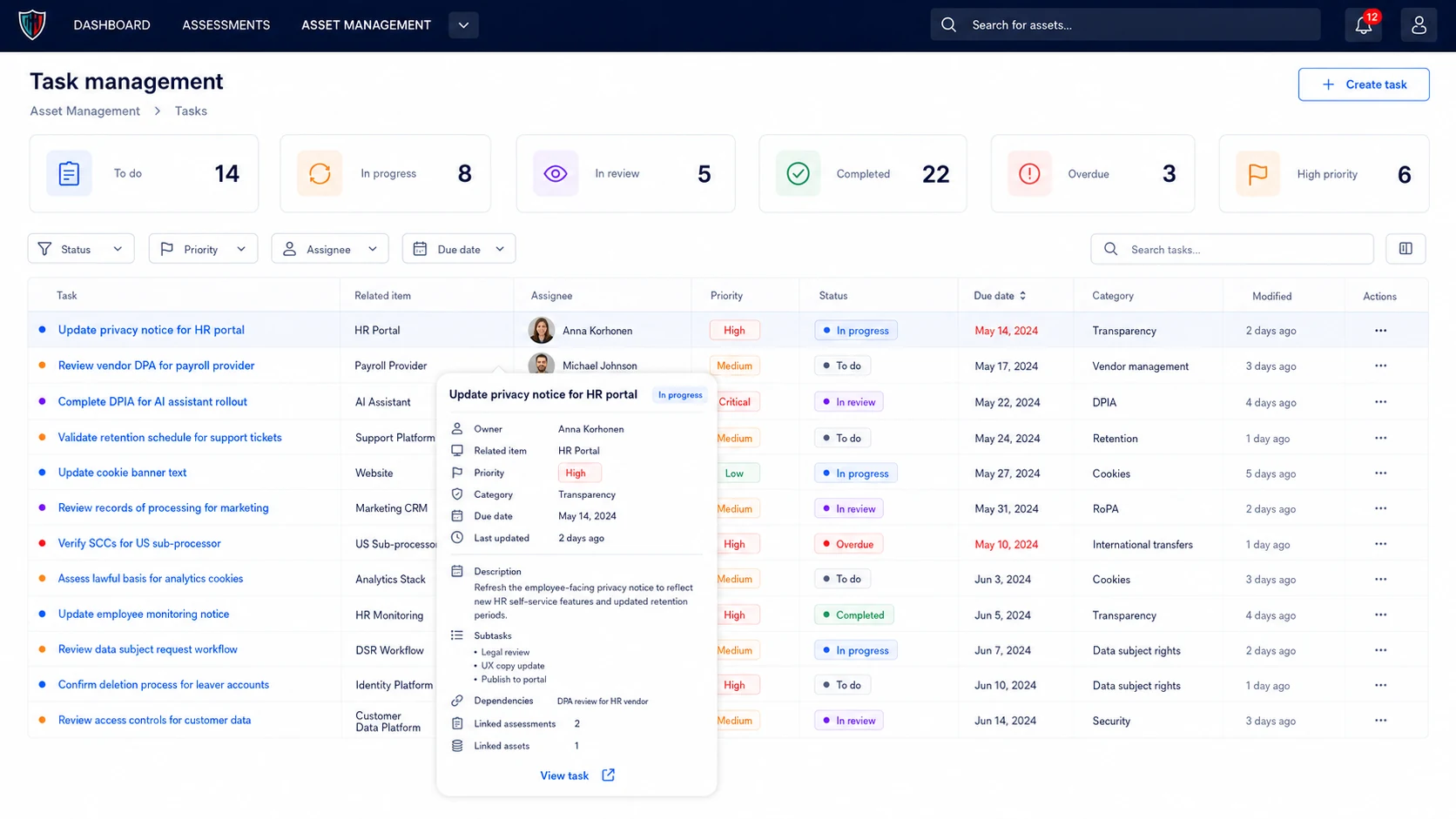
Your assessment criteria. Applied to the use in front of you.
Choose the supported framework agreed for the assessment, or configure your organisation’s requirements in PrivacyDesigner. Your colleagues can describe the project in plain language while your experts review the analysis and recommendations.
The team behind Caijo brings more than a decade of hands-on privacy-assessment experience to its fact-finding and documentation approach.
Other privacy questions your team may be facing.
Vendors and third parties
Know what needs attention in a vendor relationship: the service, the access it needs, and the risks worth flagging beyond the questionnaire.
Explore vendor assessmentsMarketing and website tracking
Review cookies, pixels, widgets and other integrations in the context of how your website actually uses them.
Explore website tracking reviews