DPIA or not. Know the risks.

A clear next step for your project. Less paperwork for your privacy team.

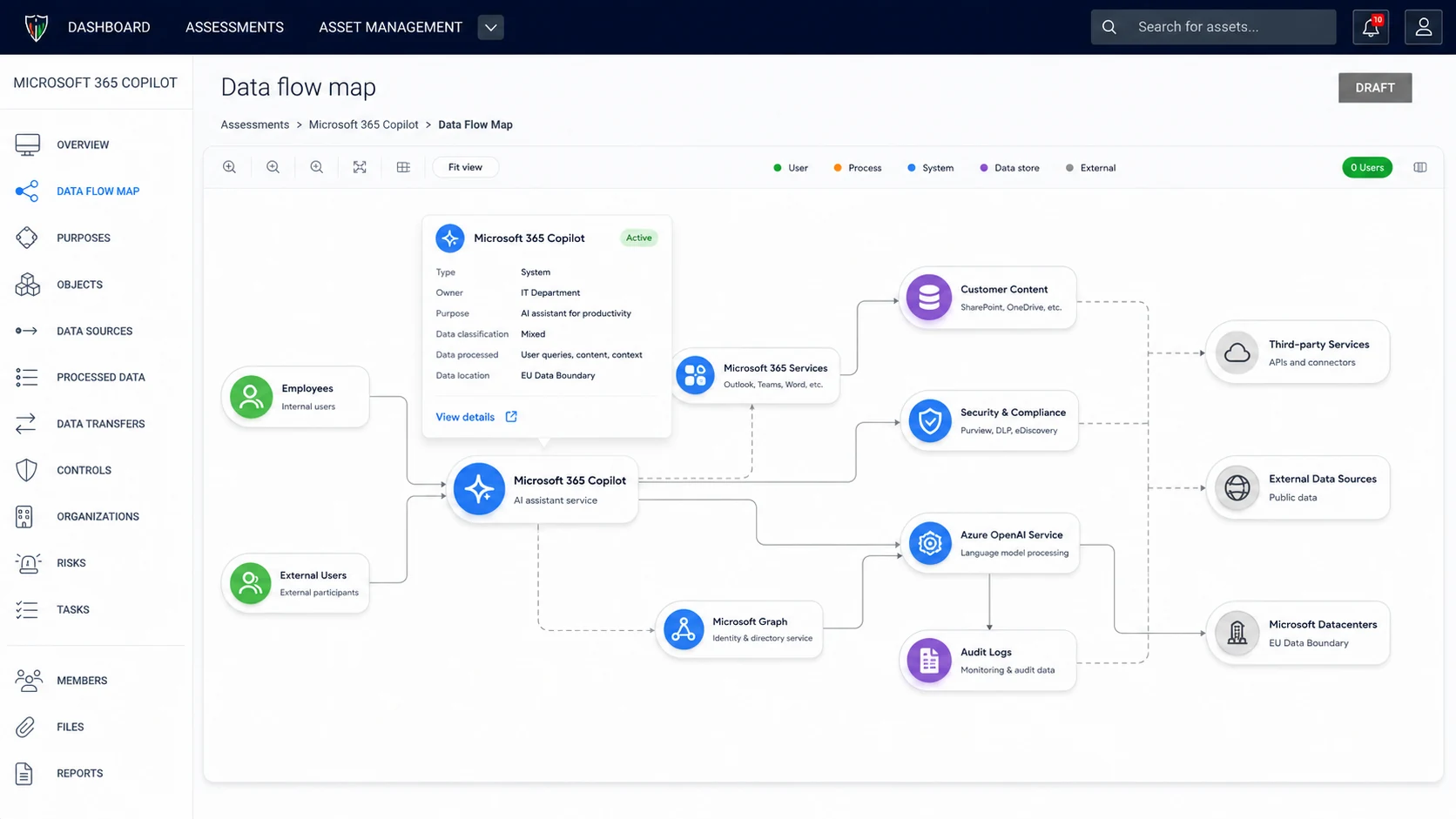
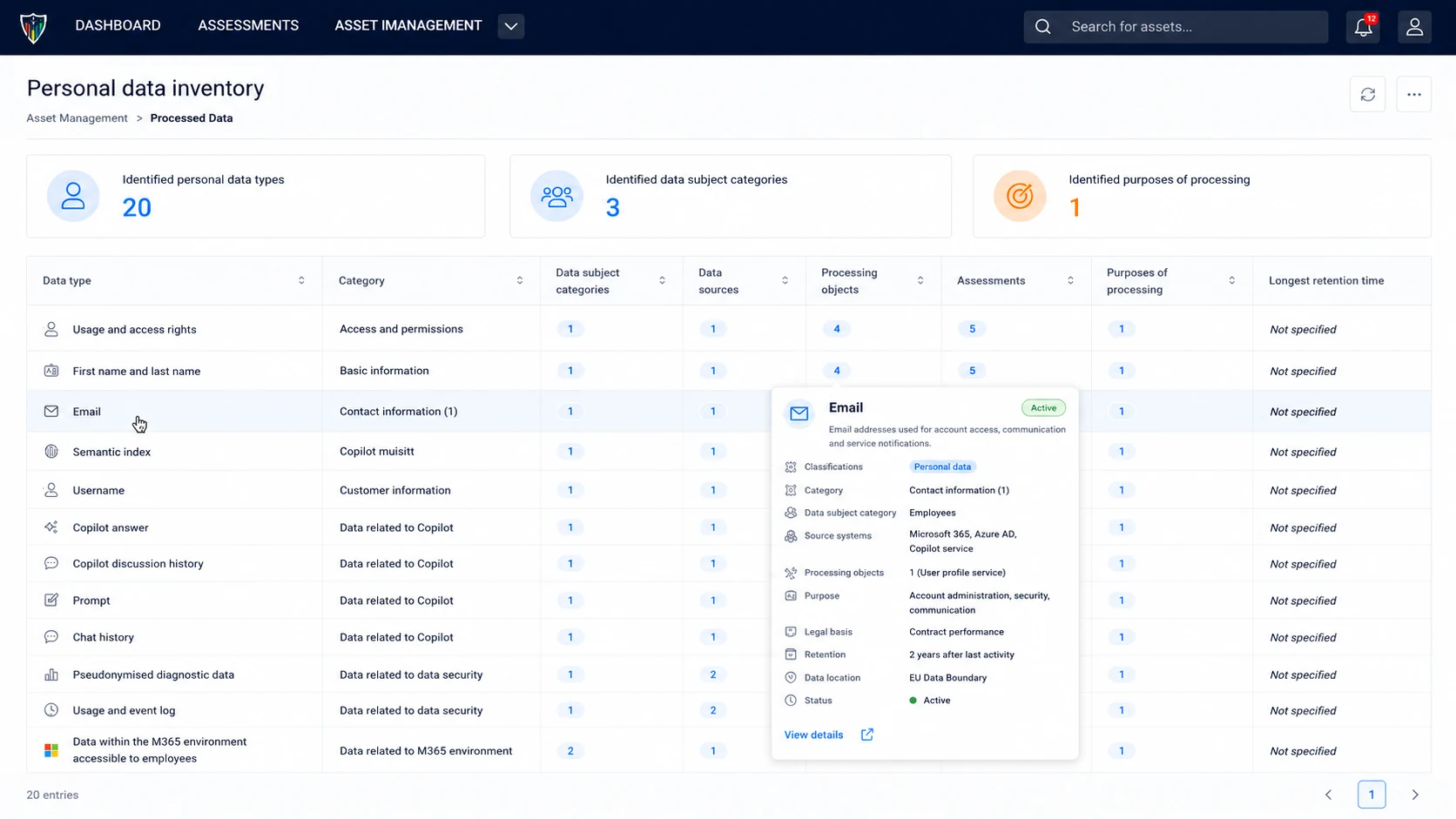
Caijo uses your organisation’s screening criteria to recommend whether a full DPIA is needed. Even when it is not, Caijo carries out a light risk assessment, and the processing information automatically updates your ROPA in PrivacyDesigner.

Your team describes the project. Caijo asks the questions they might not know to ask.

Request free access to try Caijo on a project you are considering.

Start the conversation 24/7 No prompt-writing required Findings, risks and actions together

See what you get, even without a full DPIA.

Choose a project. See how Caijo turns the conversation into a screening recommendation, risk findings, practical actions and connected documentation.

app.privacydesigner.com
Assessments
Webinar registrations Privacy review
C
Caijo
Webinar registrations
Events lead

We're running a product webinar for about 80 business contacts. We only need names, work email addresses and company names. Do we need a DPIA?

Caijo

Let’s establish the activity and apply your organisation’s screening criteria. I’ll also assess the privacy and security risks, even if a full DPIA is not needed.

Is this an ordinary professional event for adults, and is the information used only to organise it? Sensitive event topics, profiling or combining the list with other data could change the screening.

Events lead

Yes, adults at an ordinary product demonstration. We send joining instructions and a reminder. No profiling, scoring or extra marketing lists. We use our existing registration platform, and the webinar itself is not recorded.

Caijo

I’ll record that limited purpose and scope. Where can staff access the registration data, and does anyone download a copy? I’m asking because the safeguards in the platform may not protect a spreadsheet outside it.

Events lead

Two organisers have named accounts with MFA. The platform is set to delete registrations after 30 days. We also download a spreadsheet into the marketing team's shared folder. Everyone in marketing can open it, and there's no owner for deleting those copies.

Caijo

The light assessment identifies a concrete risk: people outside the event team could access or reuse the registration list, and exports could remain after the event purpose has ended. That could expose attendees’ contact details or lead to unwanted contact.

The named accounts and MFA you described help protect the platform. They do not restrict who can open the exported spreadsheet or ensure its deletion. I’ll keep those existing safeguards separate from the further measures needed for the export.

Is the event topic non-sensitive, and do the records contain any additional comments or information about individual attendees?

Events lead

The topic is not sensitive. There are no comments, dietary information or anything else. Just those three fields.

Caijo

That limits the likely consequences compared with sensitive event or participant information, but does not make wider access necessary. I recommend moving the export to a location restricted to the organisers and assigning a deletion owner and date consistent with the justified retention period.

Does that reflect the risk, and are those changes practical?

Events lead

Yes. We can restrict the folder and assign deletion to the event organiser. Those changes have not been made yet.

Caijo

On the facts recorded in this review, a full DPIA is not currently indicated under the applicable screening requirements and your organisation’s configured criteria. The limited data, scale and purpose support that recommendation; no high-risk feature or additional internal escalation condition has been identified in the review.

That does not mean “nothing to do”. Your privacy reviewer receives the screening rationale alongside the light risk assessment and the two recommended changes. It is not an approval to proceed, and a change in the activity could change the recommendation.

Events lead

That's what we needed: a reasoned answer and the changes to make, rather than another questionnaire.

Caijo

Please confirm the processing description: event administration for around 80 professional contacts; names, work email addresses and company names; the registration platform and spreadsheet export; two organiser accounts in the platform but broader marketing access to the export; platform deletion configured for 30 days, with export deletion not yet assigned.

Events lead

That is correct. The new access restriction and deletion owner should stay as tasks until we have done them.

Caijo

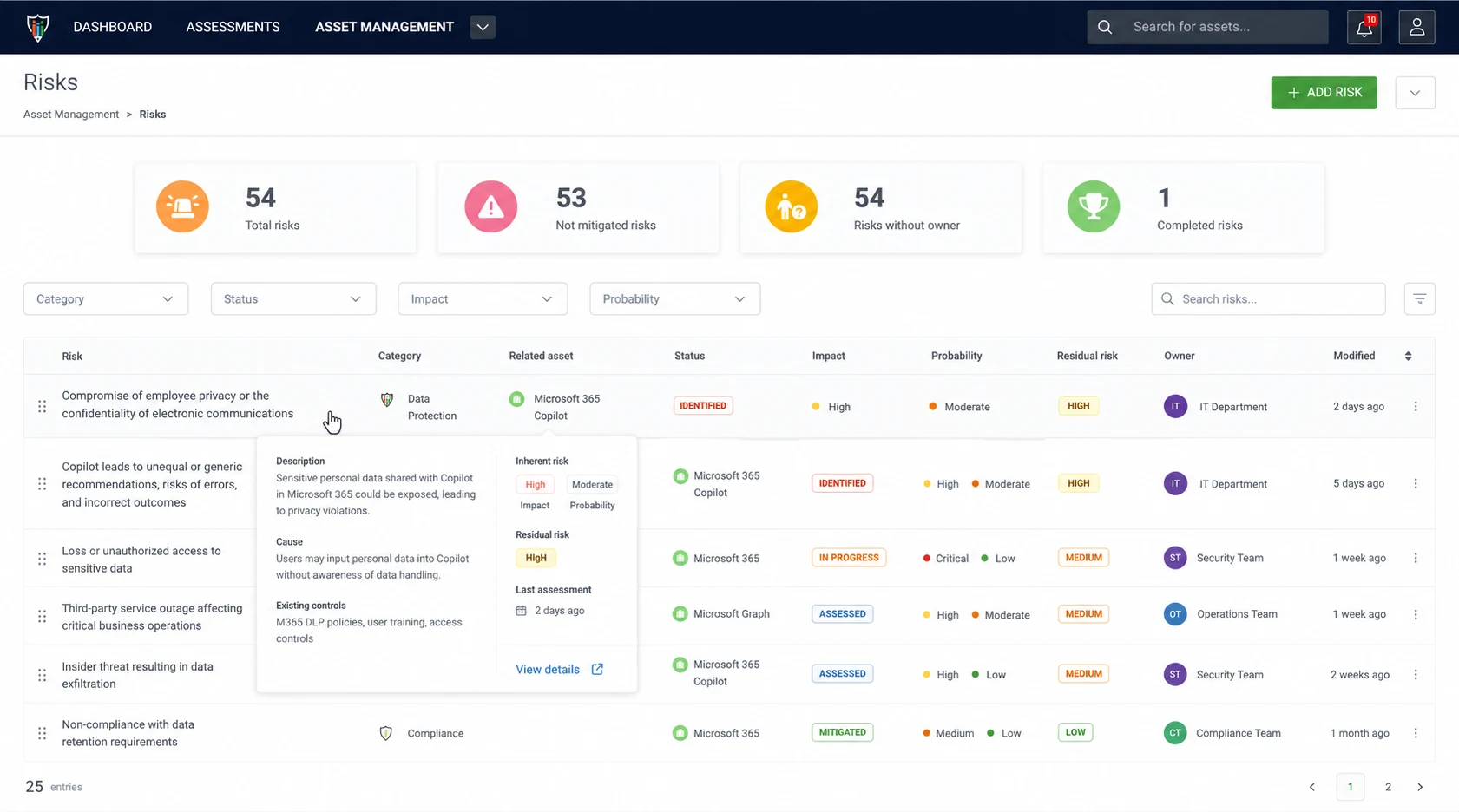
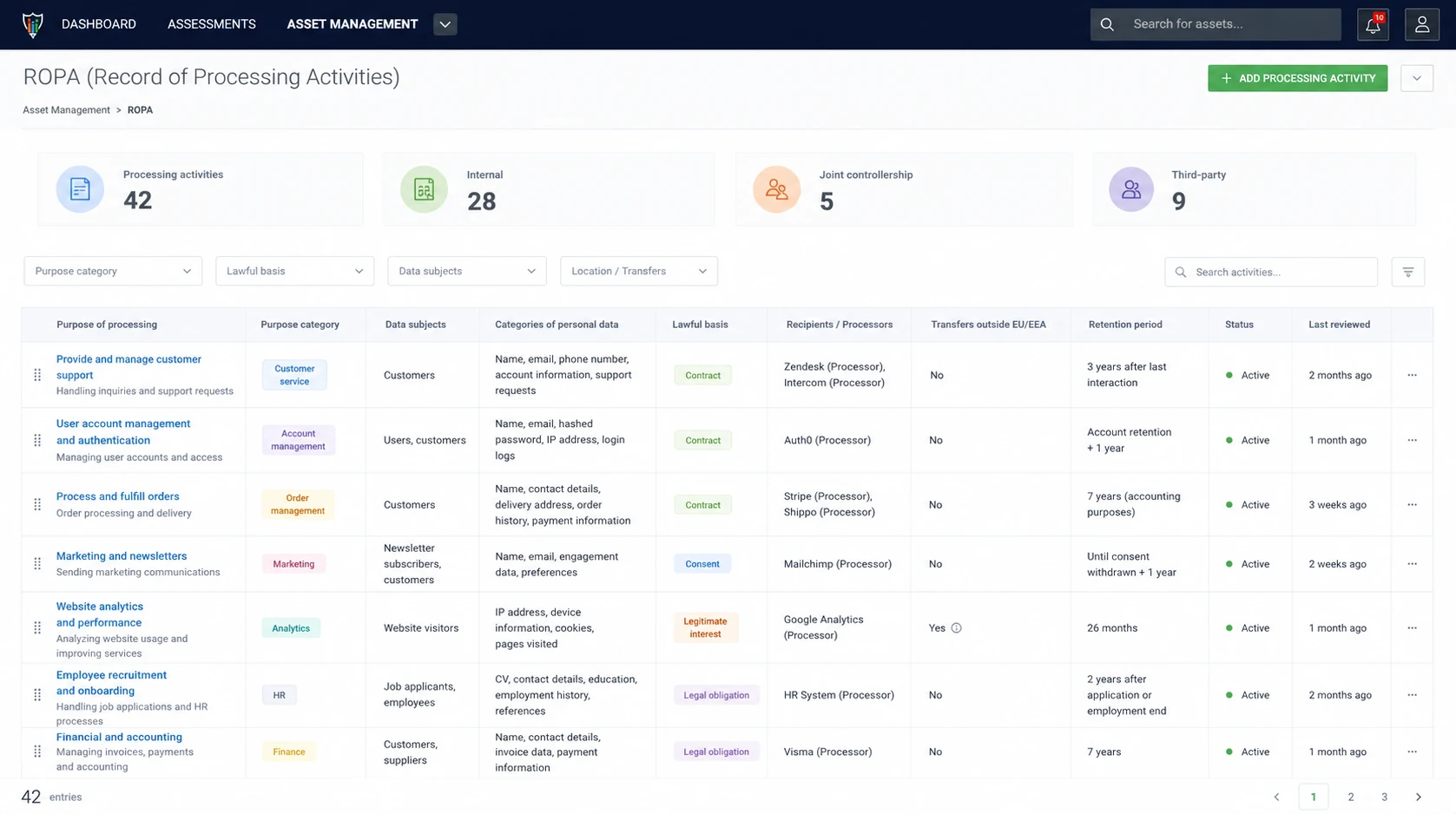
Recorded. The processing information updates your ROPA automatically in PrivacyDesigner through the connected data model. The light risk assessment and recommended tasks remain linked to the activity.

Your team has a screening recommendation, an assessment of the risks and practical next steps, without a separate ROPA data-entry exercise.

Illustrative example. The questions Caijo asks depend on the facts your team supplies.

Free testing

Try it on a project of your own.

Request free access to try Caijo on a project you are considering.

Try Caijo for free

More than a yes-or-no answer.

Your screening criteria. Not a one-size-fits-all threshold.

Tailor when Caijo recommends a full DPIA to reflect your organisation’s assessment methodology and internal requirements, alongside the applicable legal requirements. Your privacy experts define the approach. Caijo applies it to the project’s facts.

No full DPIA? The risks still get assessed.

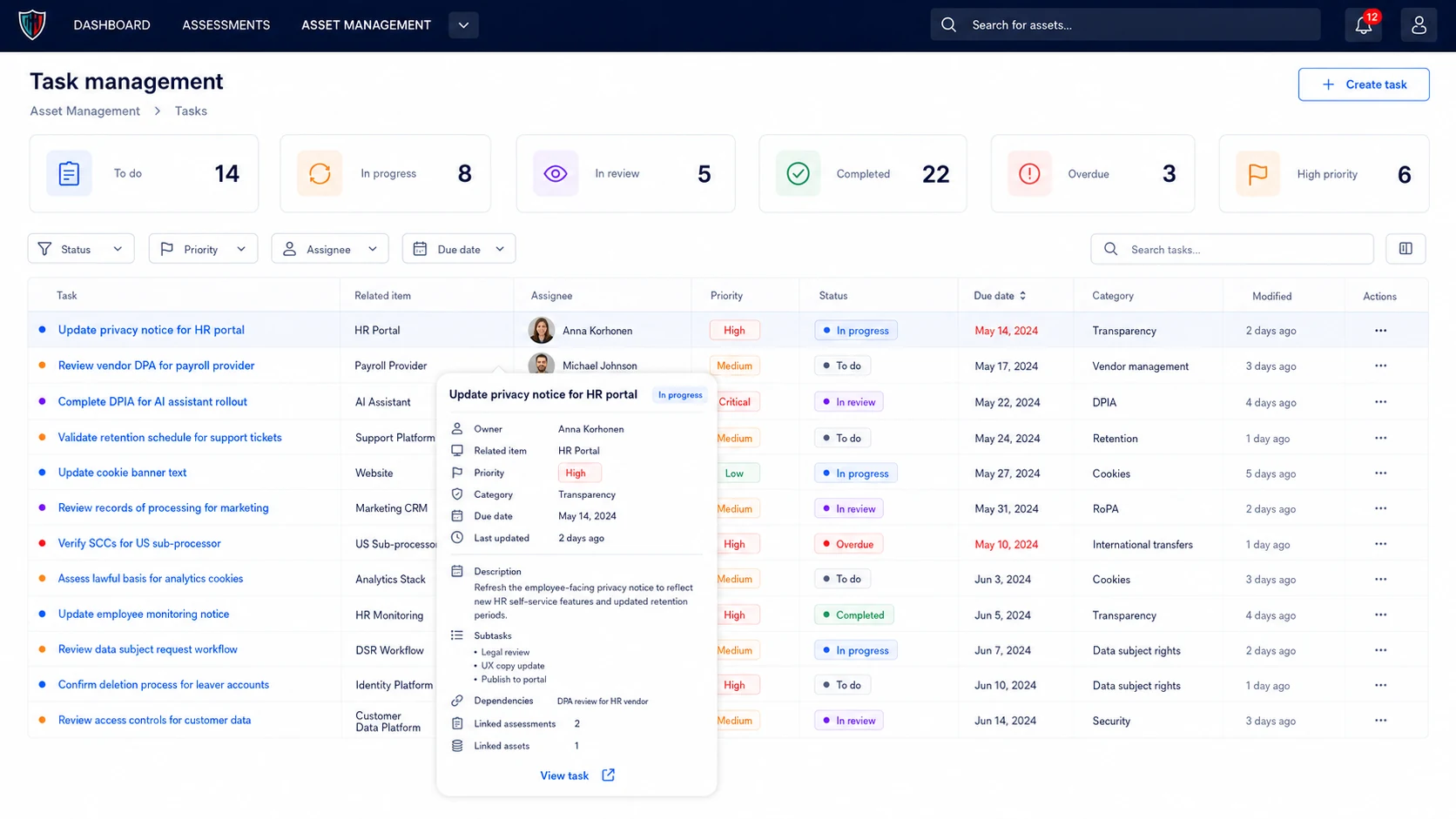
Caijo identifies what could go wrong, examines the safeguards already in place and recommends practical improvements. You get a documented light risk assessment, not just a note saying “DPIA not needed”.

Your ROPA updates automatically.

The processing information captured during the review updates your record of processing activities (ROPA) in PrivacyDesigner through the connected data model. No separate exercise to copy the same information from the review into your ROPA.

Show how your safeguards address the risks.

Not needing a full DPIA does not remove the need for appropriate security. Caijo’s light risk assessment helps you document the risks to individuals, the measures already in place and the improvements still needed.

That gives you a documented basis for explaining how your safeguards support a “level of security appropriate to the risk”, rather than relying on a generic statement that the system is secure.

Recommended measures stay separate from implemented safeguards. Your team can see what still needs to change.

Fewer unanswered questions. Fewer duplicate records.

Project owners know what to do next. Privacy experts can focus on the cases that need closer attention. Routine projects still get their risks assessed, and the processing information updates your ROPA without another round of data entry. The review is useful whether it leads to a full DPIA or not. You keep the rationale, the risk assessment and the connected documentation.
Bring the project. Leave with more than a DPIA decision.

Understand the risks. Know the next steps. Update your privacy documentation as part of the same review.

Request free test access. Start with what you know.

Request a walkthrough

Privacy review questions, answered.

Can we tailor the threshold for recommending a DPIA?
Yes. You can tailor the screening criteria and internal thresholds Caijo uses to recommend a full DPIA, so the review follows your organisation’s methodology rather than a fixed generic rule. Applicable legal requirements still apply; internal criteria cannot remove a DPIA obligation imposed by law.
What happens when a full DPIA is not needed?
Caijo still carries out a light risk assessment. It documents the identified risks, considers existing safeguards and recommends further measures where needed. You get a reasoned screening outcome, a risk assessment and practical next steps, not an automatic approval to proceed.
Does the light assessment demonstrate appropriate security?
It helps you document the connection between the risks and your technical and organisational measures. That supports your explanation of why the safeguards are appropriate. The measures still need to be implemented and effective; a completed assessment alone is not proof of compliance.
Does Caijo update our ROPA automatically?
Yes. Processing information recorded during the review automatically updates your ROPA within PrivacyDesigner through the connected data model. The assessment, risks and actions remain connected to the activity rather than being isolated in a report. This describes the PrivacyDesigner ROPA, not a third-party integration.
What do we need before starting?
Enough to explain the project, who it affects and the systems or suppliers involved. Caijo helps establish the relevant details. You do not need a completed questionnaire or copies of actual customer or employee records. Where a full DPIA is required, the light review does not replace it.
Try Caijo for free