Can we use this AI tool? Start with what it will actually do.
An AI tool’s name is not the assessment. Caijo helps your team describe the proposed use, the information it can access and the people it could affect. Then it guides the assessment of the relevant requirements, safeguards and risks, so the rollout decision has more behind it than a general assurance.
We’ll contact you to arrange free test access. Bring a use case relevant to your team.
A meeting assistant. And the CRM nobody mentioned.
A request for meeting notes becomes a review of recordings, transcripts and customer records. Follow the scope changes and the distinction between a possible safeguard and one that is actually in place.
Read the conversation
Keep AI requests moving. Keep your experts in the loop.
Start with an ordinary question
The person proposing the tool can describe the work without arriving with a legal classification or engineered prompt.
Find the connected systems
Bring recordings, exports, connectors and destinations into scope when the conversation reveals them.
Separate defaults from decisions
Understand the proposed configuration and what the organisation still needs to decide or change.
Make safeguards reviewable
Keep planned checks and restrictions separate from measures reported as already operating.
“The tool is approved.” For which use, with which settings?
Compare this incomplete hand-off with the contextual review. The before column is not a claim about every questionnaire or competing product.
What the provider states
- “It takes meeting notes.”
- “Only our organisation has access.”
- “We can delete recordings.”
- “A human is in the loop.”
What the review establishes
- Describe audio, transcript and summary separately, including the CRM copy.
- Examine who can access each output within that organisation.
- Separate an available setting from a configured and tested workflow.
- Establish who checks what, when, and whether the step is operating.
Understand the proposed use. Know what needs attention before rollout.
Workflow and affected people
The meeting, outputs, CRM destination and people involved are described.
Requirements in context
Retention is considered separately for each output.
Risks and existing safeguards
Inaccurate customer records are distinguished from access and retention concerns.
Recommended actions
Review steps, settings checks, access changes and outstanding decisions become tasks.
More than a report. Information your team can maintain.
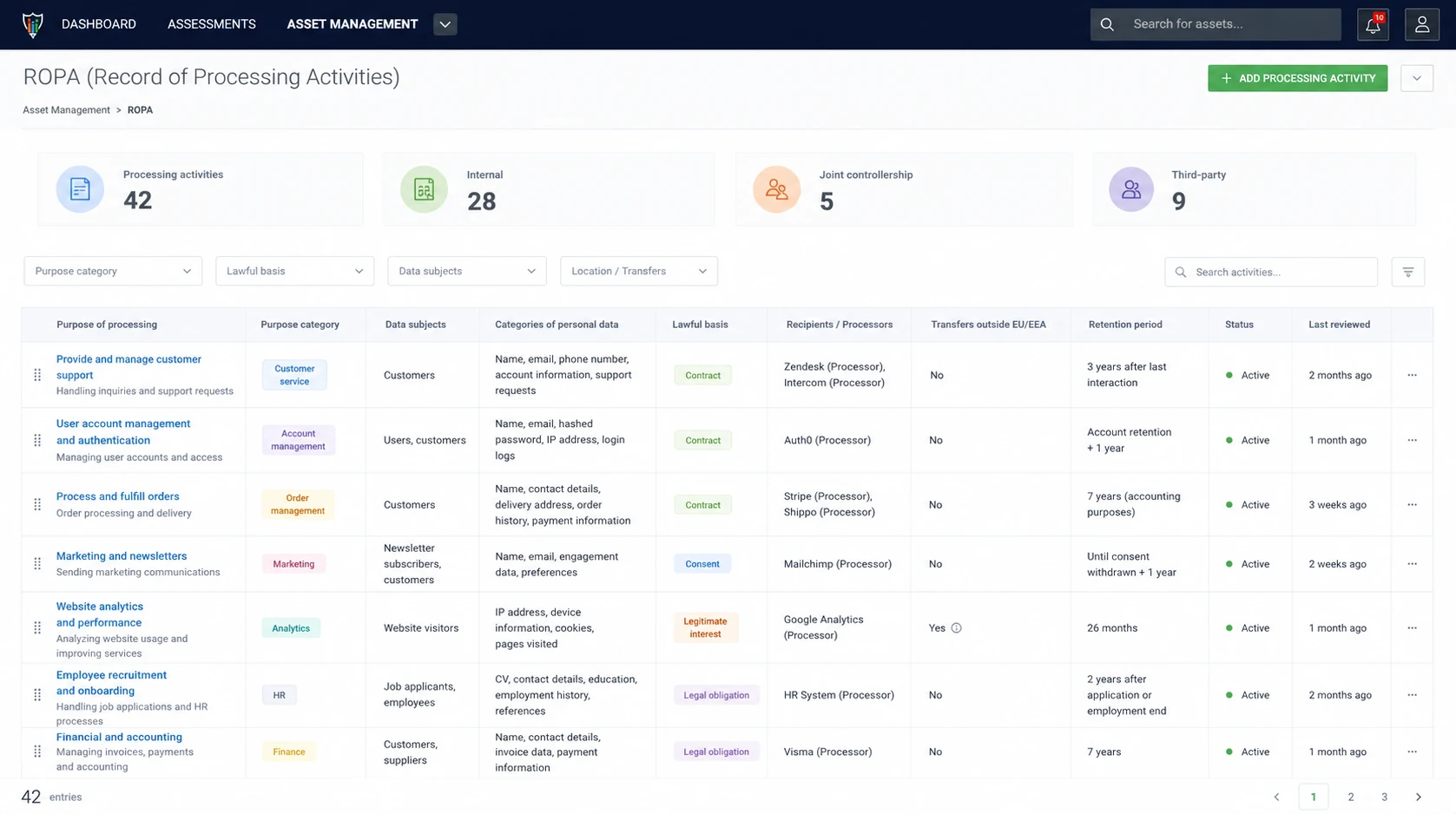
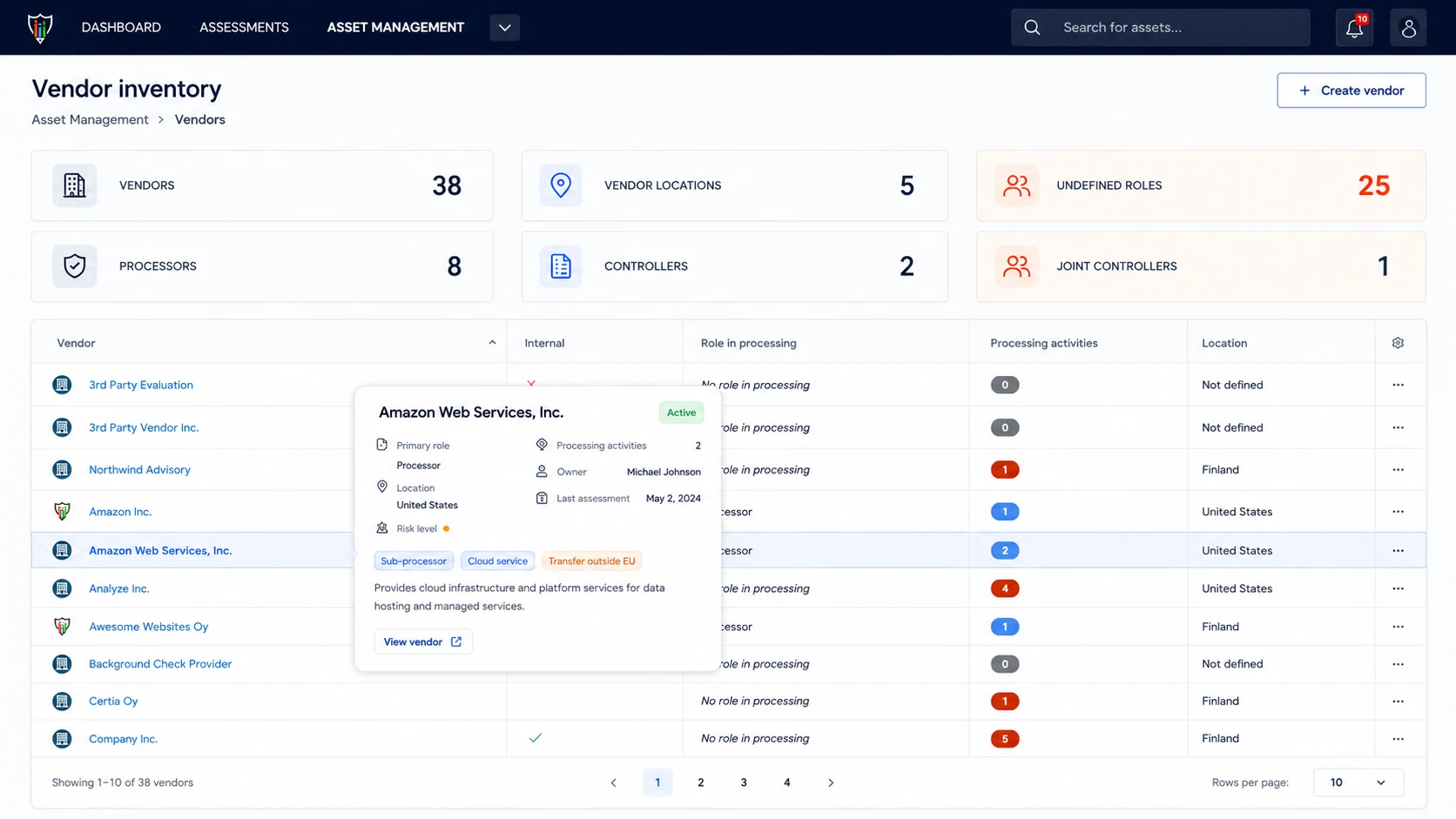
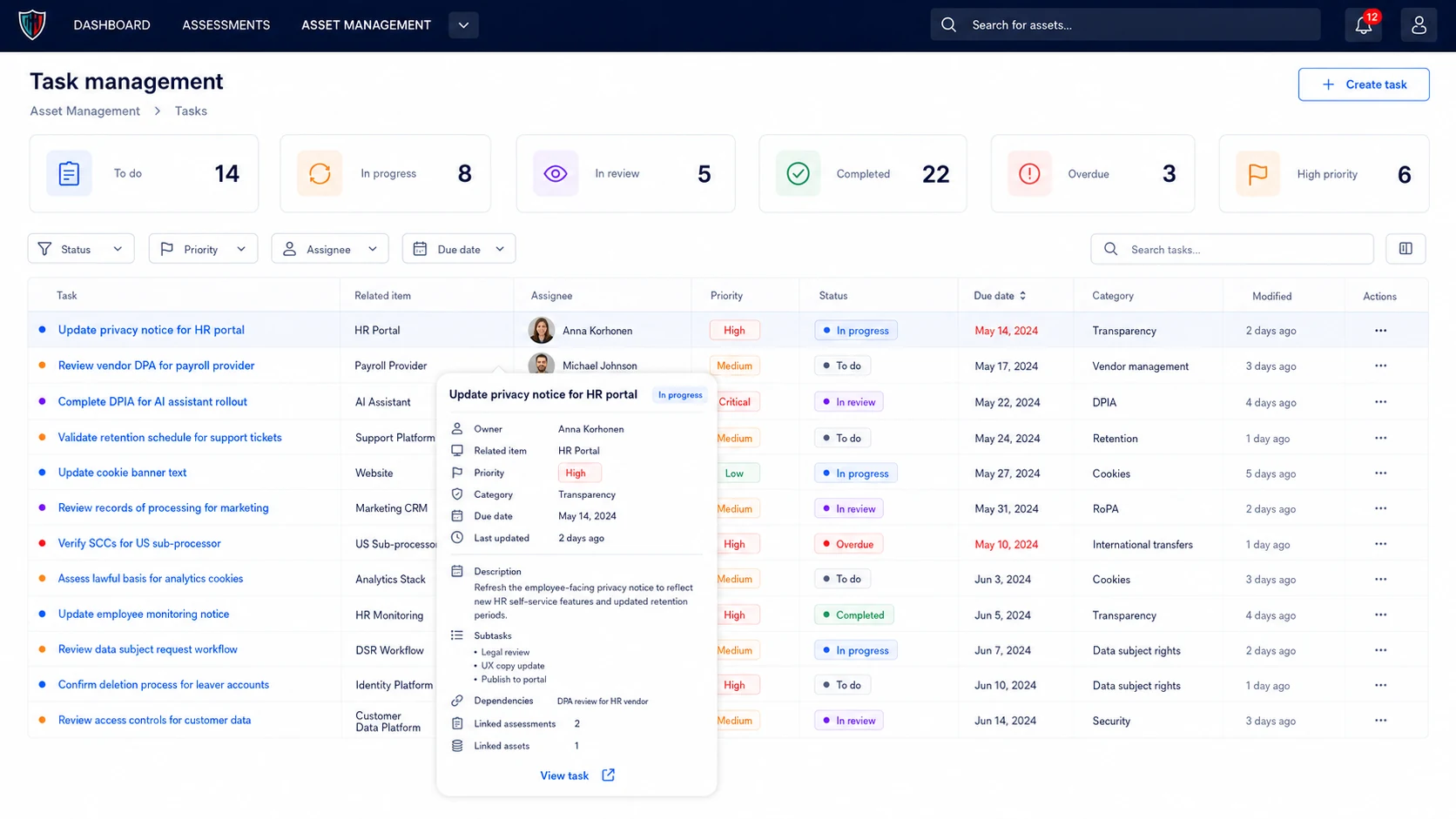
The assessment information contributes to connected system, vendor, processing, AI-use-case, risk and task records in PrivacyDesigner. The report is not the only place its facts can live. These are the modules it writes to, use the tabs or arrows to move between them.
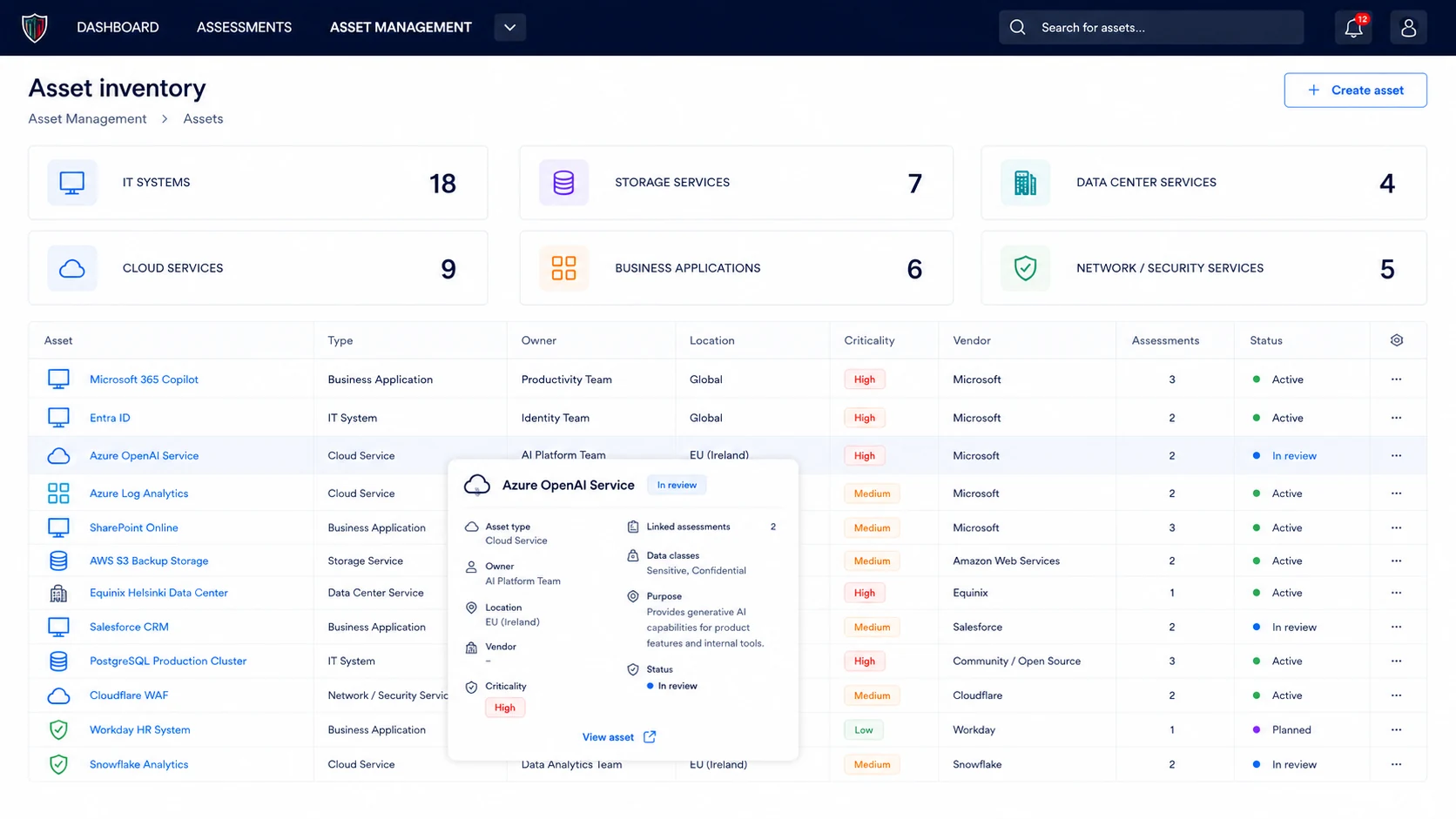
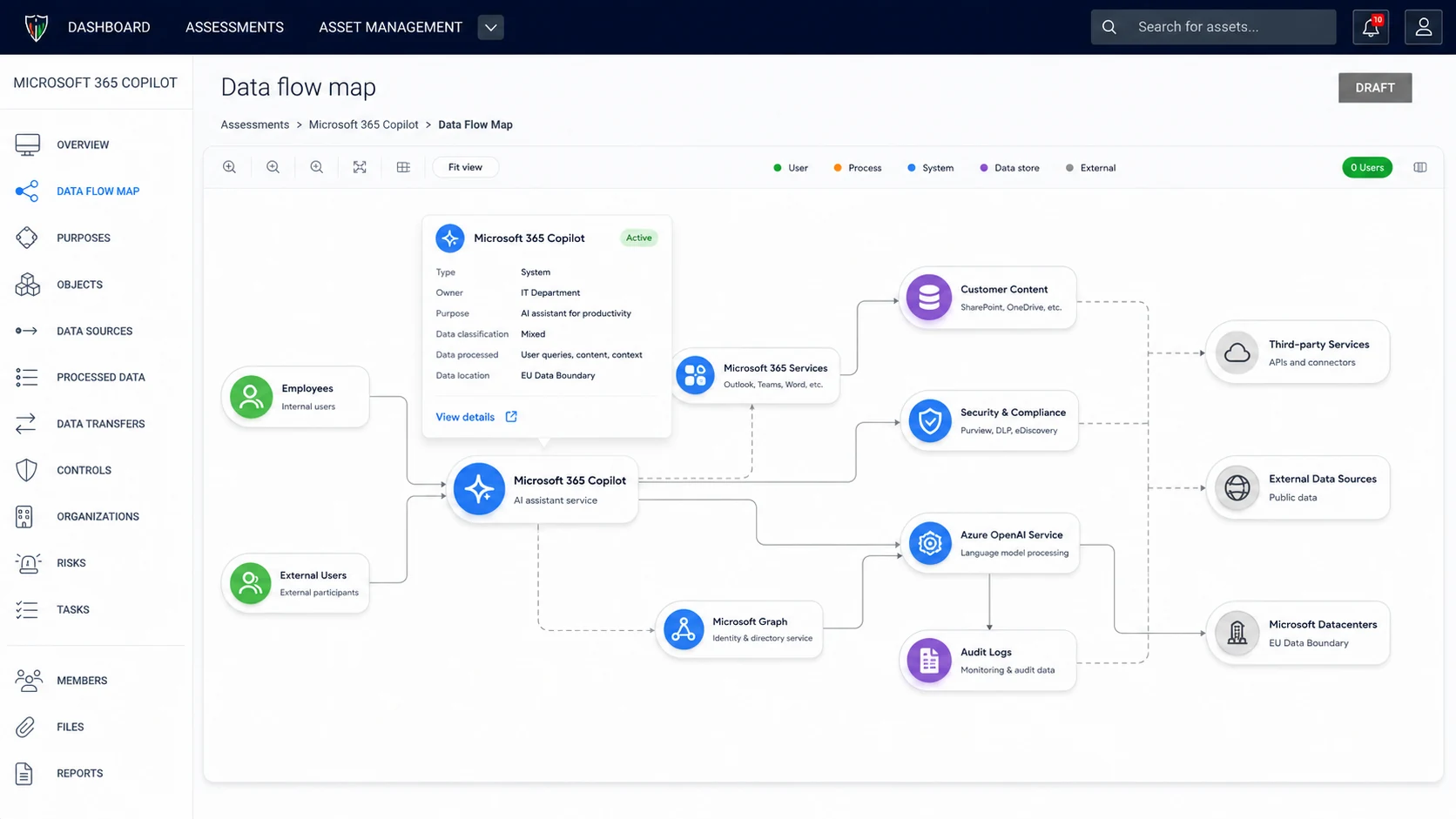
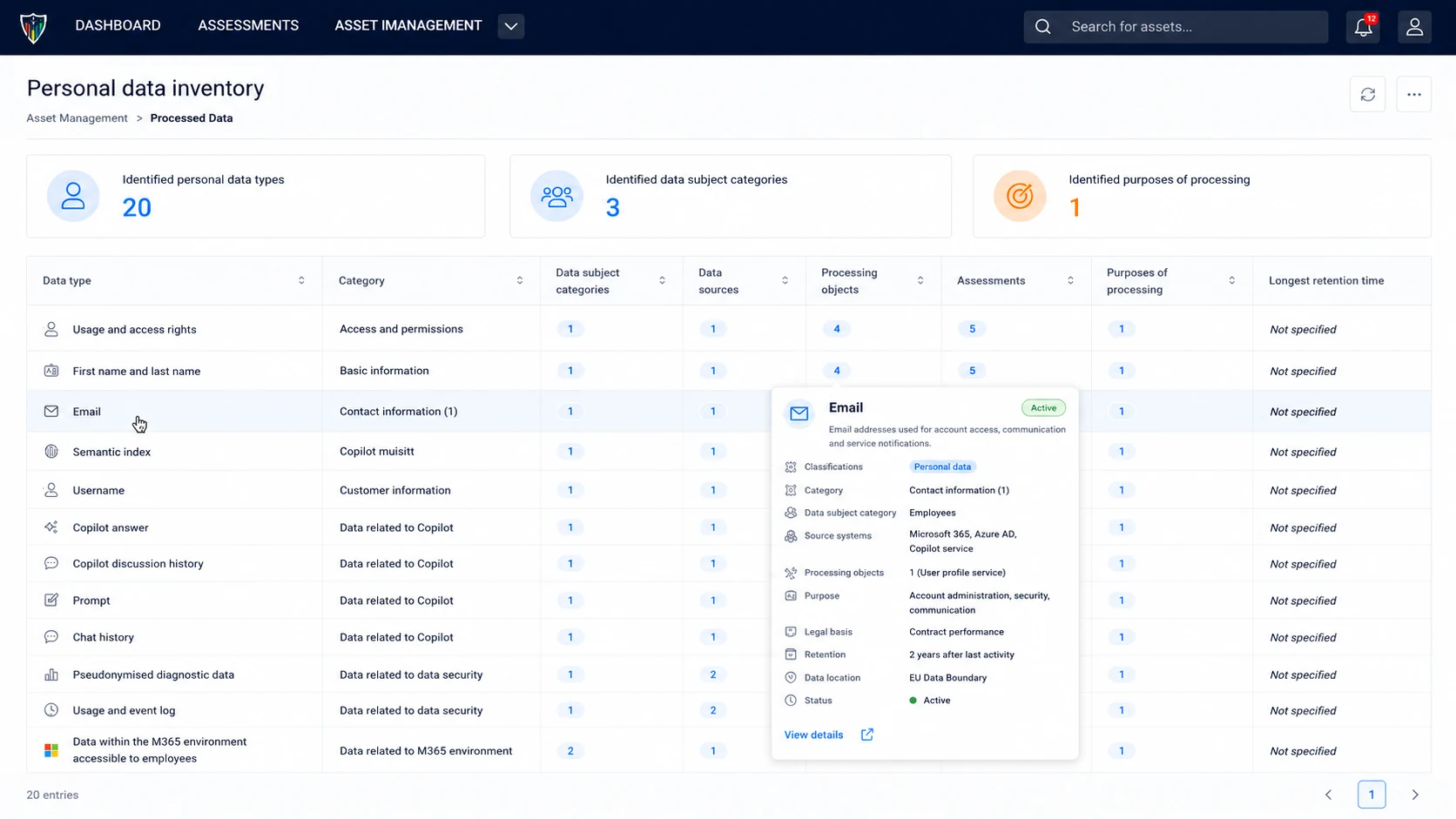
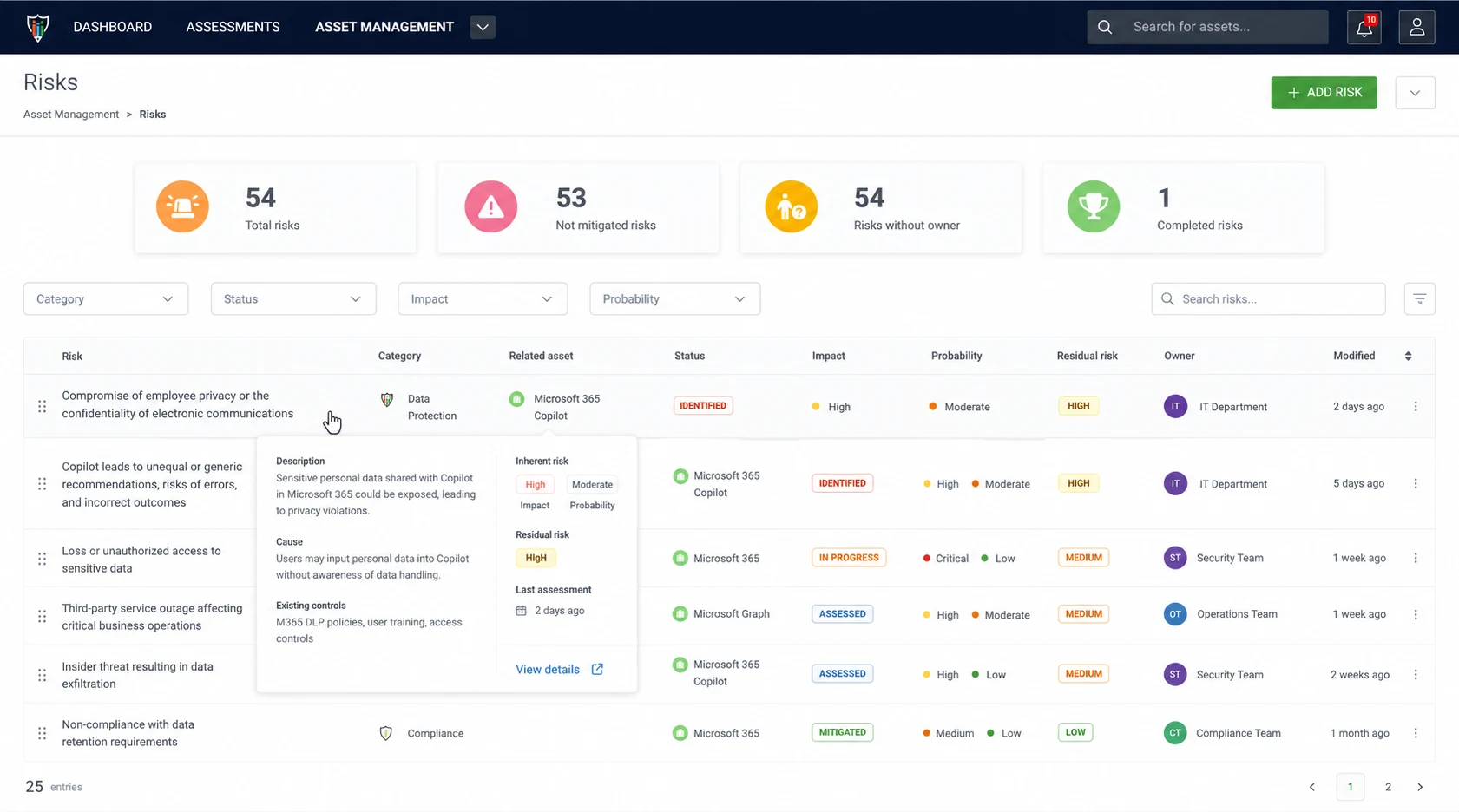
Your assessment criteria. Applied to the use in front of you.
Choose the supported framework agreed for the assessment, or configure your organisation’s requirements in PrivacyDesigner. Your colleagues can describe the project in plain language while your experts review the analysis and recommendations.
The team behind Caijo brings more than a decade of hands-on privacy-assessment experience to its fact-finding and documentation approach.
Other privacy questions your team may be facing.
Vendors and third parties
Know what needs attention in a vendor relationship: the service, the access it needs, and the risks worth flagging beyond the questionnaire.
Explore vendor assessmentsUniversities and research projects
Give researchers a guided way to describe their projects and give your privacy team a clearer basis for focused review.
Explore research assessments